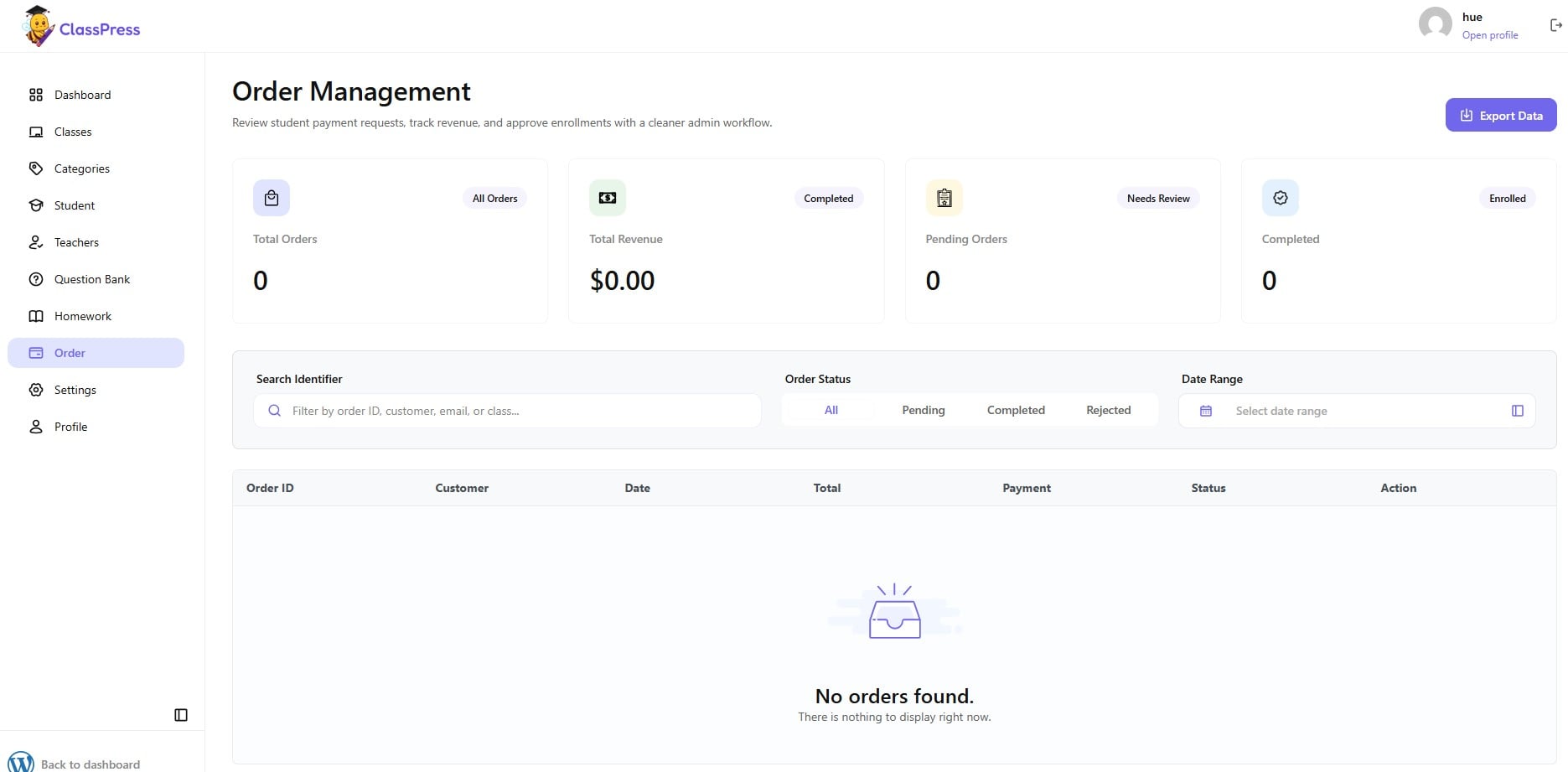
To manage student orders, navigate to Order from the left sidebar.
On this page, you can:
- View the overview cards showing:
- Total Orders – Total number of orders.
- Total Revenue – Total revenue generated from completed orders.
- Pending Orders – Orders waiting for review or approval.
- Completed – Number of successfully completed orders.
- Use the Search Identifier field to search for orders by Order ID, customer name, email, or class.
- Filter orders by Order Status (All, Pending, Completed, or Rejected).
- Select a Date Range to display orders created within a specific period.
- Click Export Data to download the current order list.
The order table displays the following information for each order:
- Order ID
- Customer
- Date
- Total
- Payment
- Status
- Action
Use the available Action options to review and manage individual orders.