
When you open the ClassPress Dashboard, you’ll find an overview of your classroom management system.
The dashboard includes several sections to help you quickly access important information and common actions.
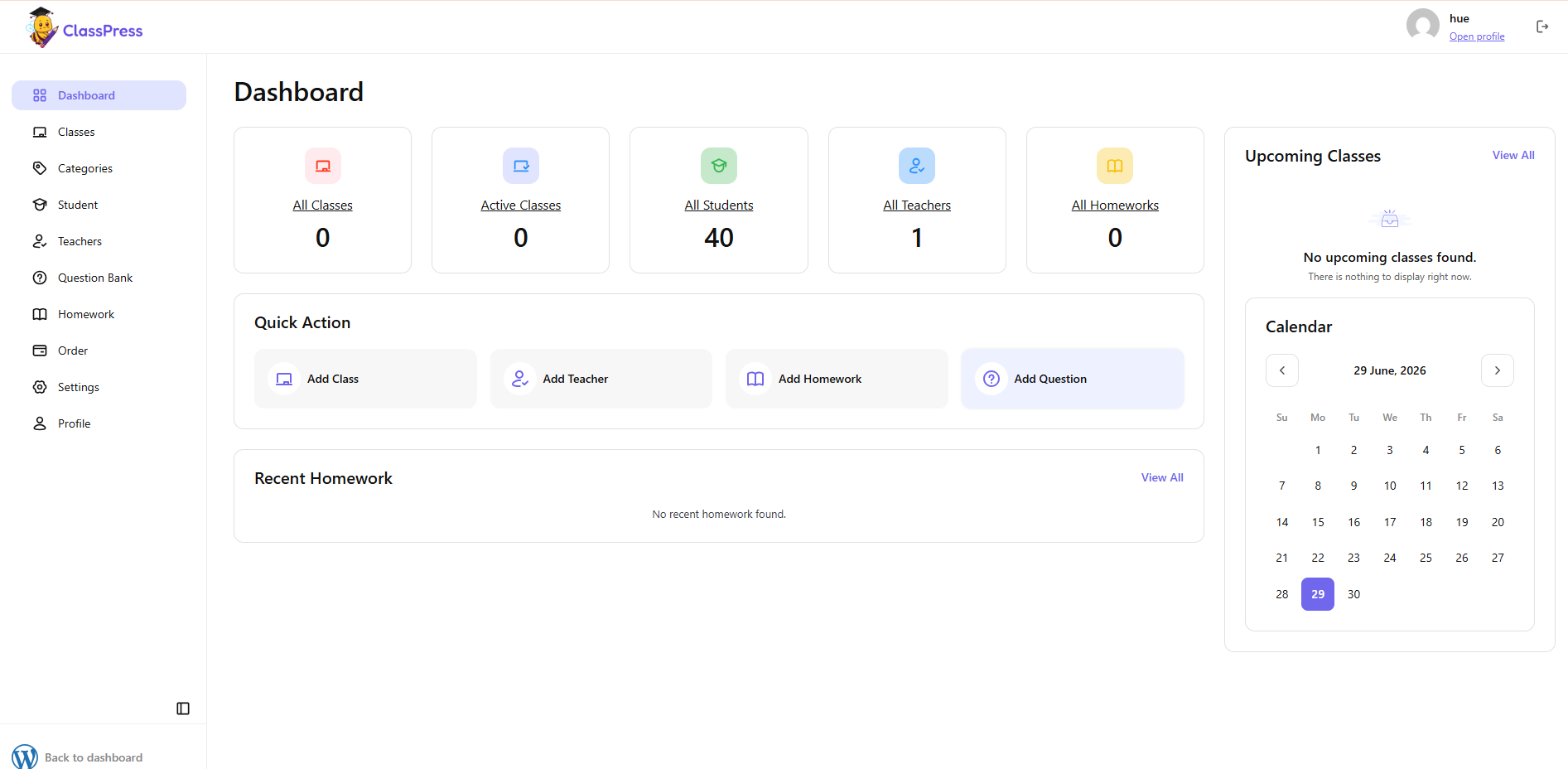
Statistics
At the top of the dashboard, you can view summary cards displaying:
- All Classes: Total number of classes
- Active Classes: Currently running classes
- All Students: Total number of students
- All Teachers: Total number of teachers
- All Homework: Total number of assignments
Quick Actions
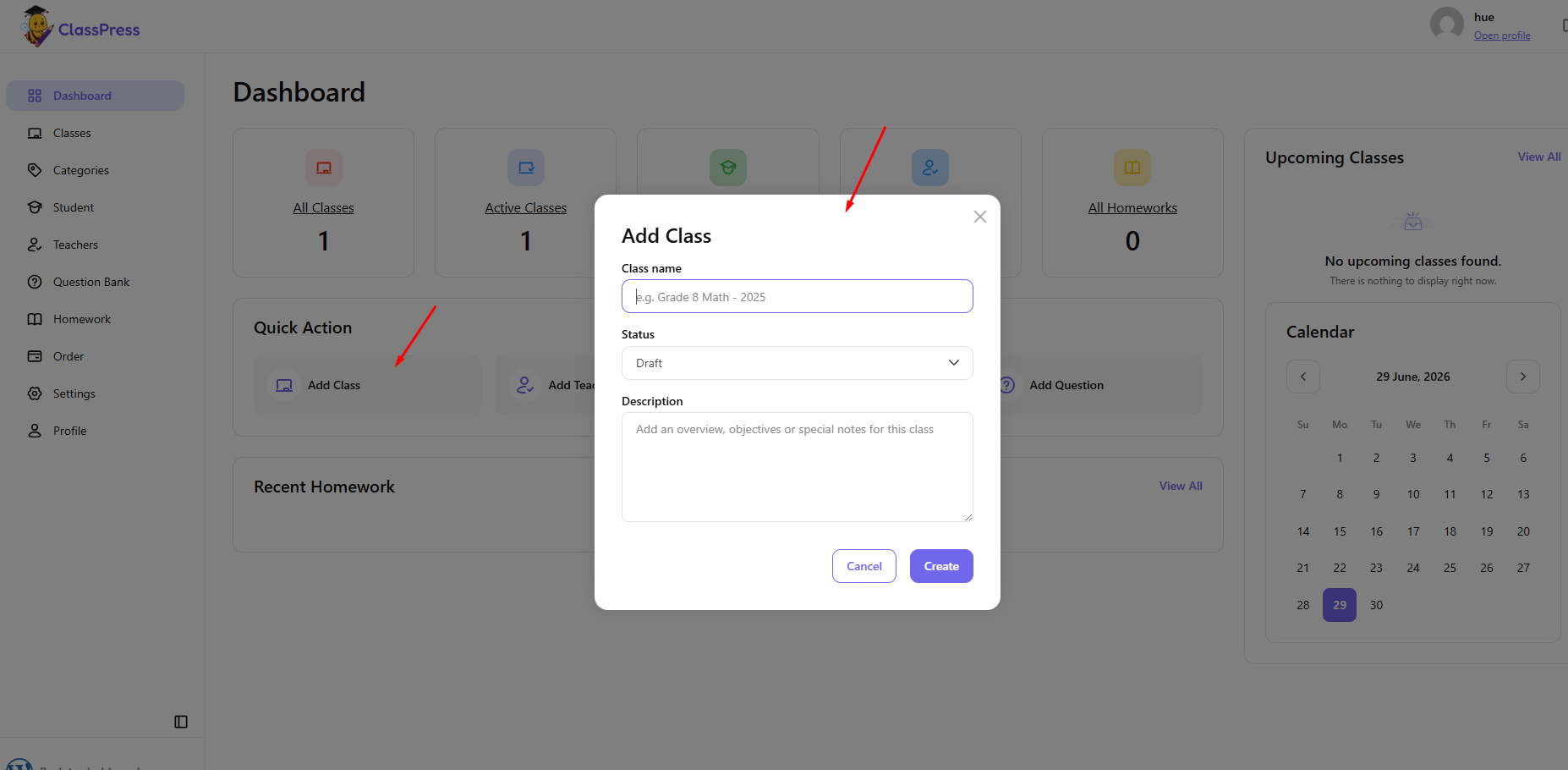
Use the Quick Action section to quickly create new content, including:
- Add Class
- Add Teacher
- Add Homework
- Add Question
Upcoming Classes
Displays upcoming scheduled classes.
Calendar
Provides a monthly calendar view to help you keep track of class schedules.
Recent Homework
Shows the most recently created homework assignments.