
1. Overview
The Thim Countdown block allows you to display a real-time countdown timer to a specific date and time.
It is commonly used for events, launches, promotions, or deadlines.
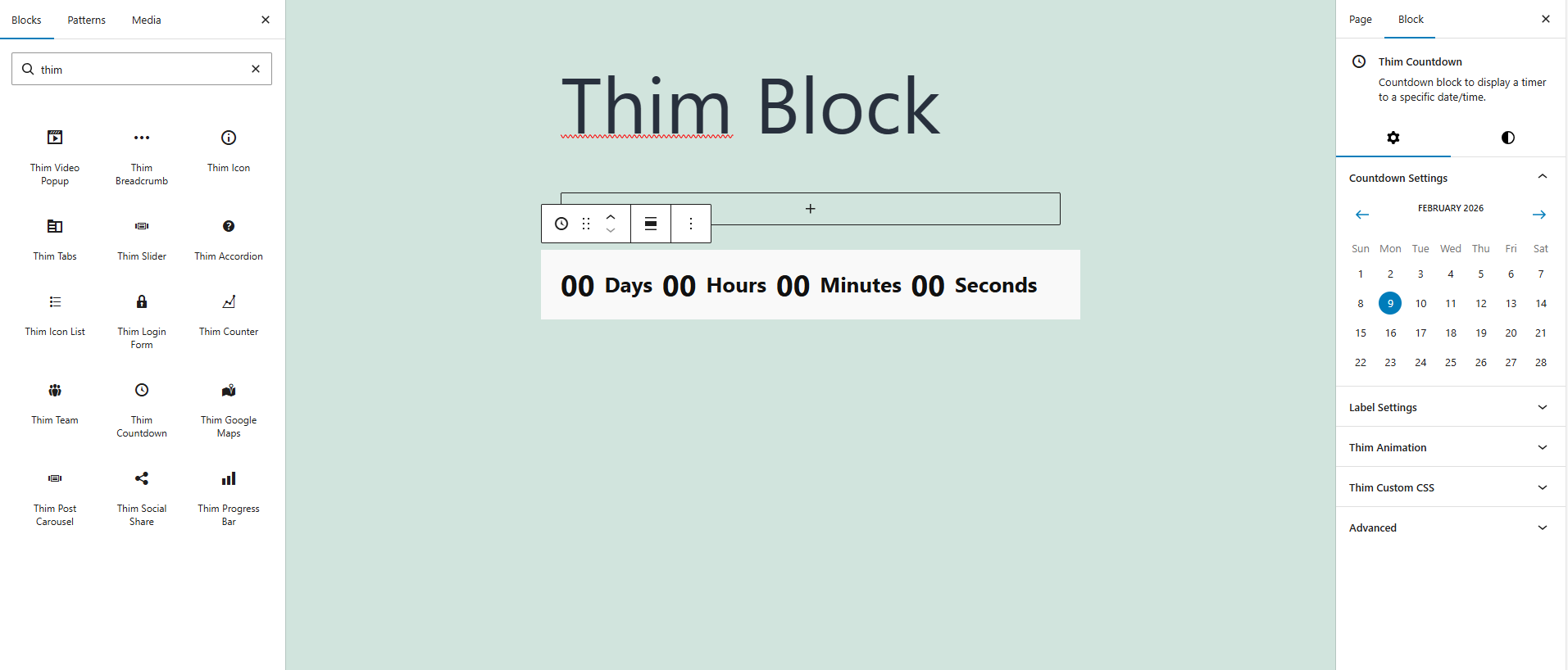
2. Countdown Settings
Controls the target date and time for the countdown.
-
Date Picker
Select the end date for the countdown using the calendar. -
Time
Define the exact time when the countdown ends.
3. Label Settings
Customize the text labels for each time unit.
-
Label Position
Choose where the label appears relative to the number (e.g. Left, Right, Top, Bottom). -
Days Label
Text label for days (default:Days). -
Hours Label
Text label for hours (default:Hours). -
Minutes Label
Text label for minutes (default:Minutes). -
Seconds Label
Text label for seconds (default:Seconds).
4. Label Styles
Adjust typography and color for countdown labels.
-
Font Size
Set the font size of the labels. -
Label Color
Choose the text color for labels. -
Typography
Control font style, weight, and letter case if available.
5. Number Styles
Customize the appearance of countdown numbers.
-
Font Size
Define the size of the numbers. -
Number Color
Set the color for countdown values. -
Typography
Adjust font family, weight, and letter case.
6. Thim Styles
General style settings for the countdown container.
-
Screen Type
Apply different styles for Desktop, Tablet, and Mobile. -
Padding
Control spacing inside the countdown block. -
Background Color
Set the background color for the countdown area.
7. Color
Manage global colors of the block.
-
Text Color
Apply color to text elements. -
Background Color
Set the background color of the block.
8. Dimensions
Control spacing and layout.
-
Padding
Adjust inner spacing of the countdown block. -
Responsive Controls
Customize spacing for different screen sizes.
9. Thim Animation
Add animation effects when the block appears.
-
Animation Type
Choose an animation style (e.g. Fade, Slide, Zoom). -
Animation Delay
Delay before the animation starts.
10. Thim Custom CSS
Add custom CSS styles specifically for this block.
-
Use the
selectorkeyword to target the countdown wrapper.
11. Advanced
Advanced configuration options.
-
Additional CSS Class(es)
Add custom class names for advanced styling or JavaScript targeting.