
The Thim Google Maps block allows you to display an interactive Google Map with a marker, helping visitors easily find your location.
1. Overview
The Thim Google Maps block embeds a Google Map directly into your page.
You can define the map location by address or coordinates, adjust zoom level and map height, and connect it with a Google Maps API key for full functionality.
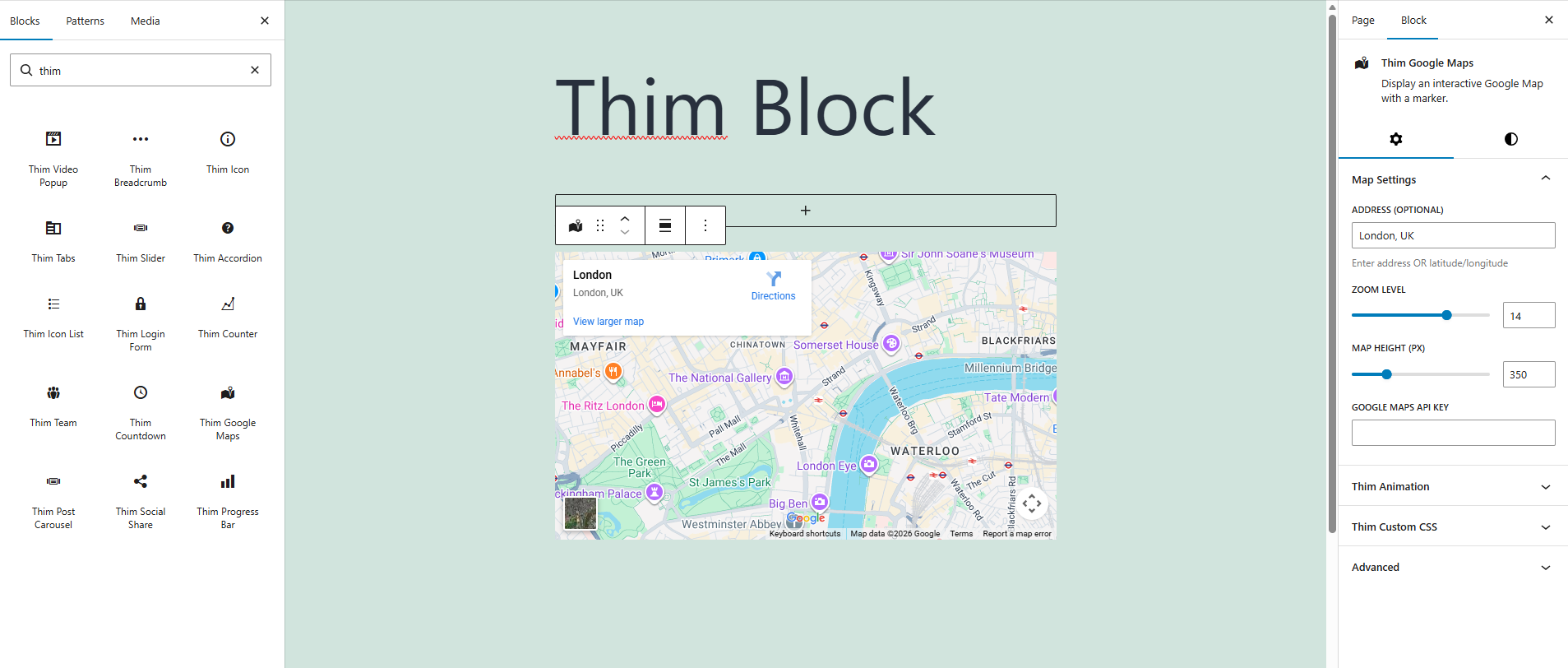
2. Map Settings
2.1. Address (Optional)
Enter a location to center the map.
-
You can use a physical address (e.g.
London, UK) -
Or latitude/longitude coordinates (e.g.
51.5074, -0.1278) -
If left empty, the map will not display a specific location
2.2. Zoom Level
Controls how close or far the map appears.
-
Lower values show a wider area
-
Higher values zoom in closer to the location
-
Typical values range from 1 to 20
2.3. Map Height (px)
Sets the vertical height of the map in pixels.
-
Accepts numeric values only
-
Example:
350will display a map with a height of 350px -
Useful for controlling layout balance on the page
2.4. Google Maps API Key
Enter your Google Maps API key to enable map functionality.
-
Required for Google Maps to load correctly
-
The API key must have Maps JavaScript API enabled
-
Without a valid API key, the map may not display or show errors
3. Dimensions
Adjusts the inner spacing around the map block.
-
Supports top, right, bottom, and left padding
-
Can be linked or adjusted individually
-
Helps align the map visually with surrounding content
4. Thim Animation
Adds an animation effect when the map appears on the page.
-
Choose from predefined animation styles
-
Animations trigger on scroll
-
Helps create a more dynamic user experience
5. Thim Custom CSS
Allows you to add custom CSS styles specifically for this block.
-
Use the
selectorkeyword to target the block wrapper -
Example use cases:
-
Custom borders
-
Rounded corners
-
Box shadows
-
6. Advanced
Contains additional block-level settings provided by WordPress.
-
Visibility controls
-
Custom HTML anchor
-
Additional advanced configurations depending on theme support